01
Import the Sections, Not the Layout
Pick the pack, open one page inside it, tick the sections you want. Only those are imported.
Built Natively for Divi 5
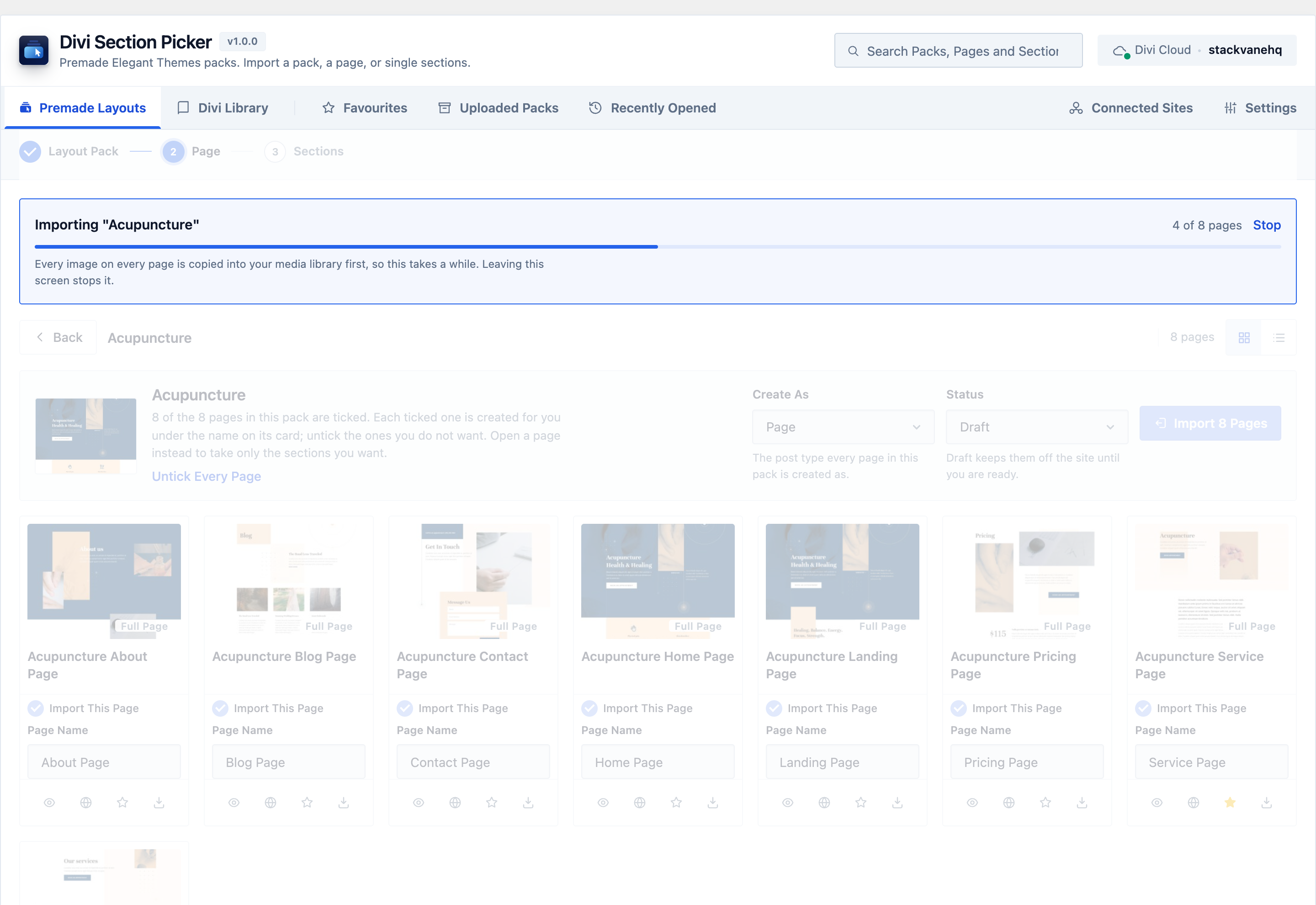
Divi Section Picker replaces Divi's all-or-nothing layout import with a real funnel. Choose a layout pack, open one page inside it, then tick just the sections you actually want, whether that is a pricing table, a hero or anything else. Only those come in.
In development. Not yet available for purchase.
$25 one time Unlimited sites GPL licensed
Most Divi builders already own more layout packs than they use. What is missing is a way to take one section out of one page without importing the page around it.
01
Pick the pack, open one page inside it, tick the sections you want. Only those are imported.
02
Colours, typefaces, images and presets swap to your site's own as the section is imported, so there is no manual pass afterward.
03
Divi renders the section, or the whole page, so what you judge is the design itself. Nothing is written to your site to look at it.
04
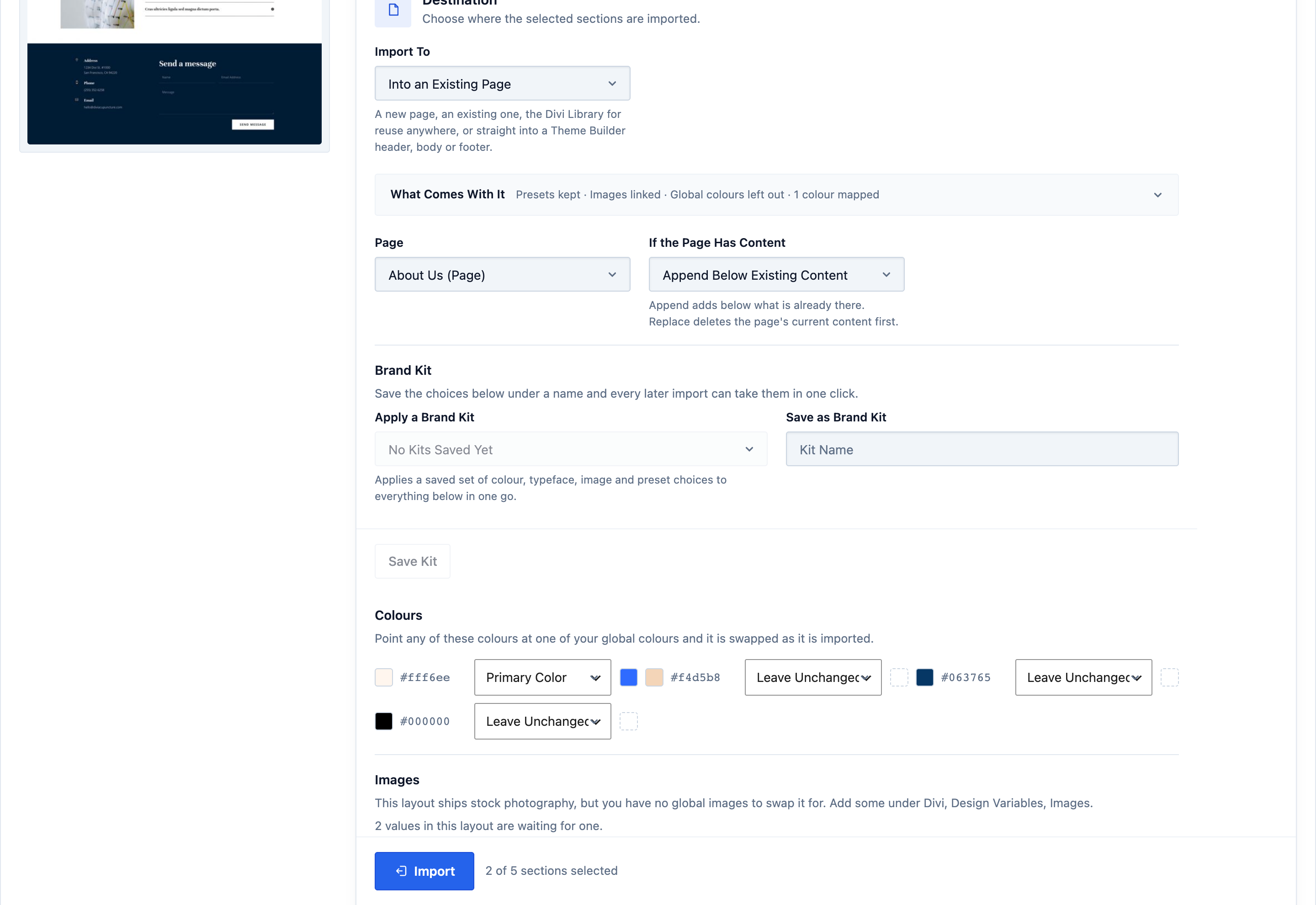
Premade packs, your Divi Cloud, uploaded files and this site's own Library, plus any other Divi site you connect.
Three steps, inside the Visual Builder you already work in. Stop at any one of them.
From any of your four sources: premade layouts, your Divi Cloud, your uploads, or your own site's Library.
See every section on that page, with a real rendered preview. There is no need to import anything just to look first.
Select one section or several, then drag them into the order you want. Only what you ticked lands on your page, in that order, recoloured to your brand. Undo any time.
Seven capabilities, each a workflow you can run from the first click to the finished page.
Divi's own importer gives you one whole premade layout or nothing. This gives you three checkpoints, and you can stop at any one of them.
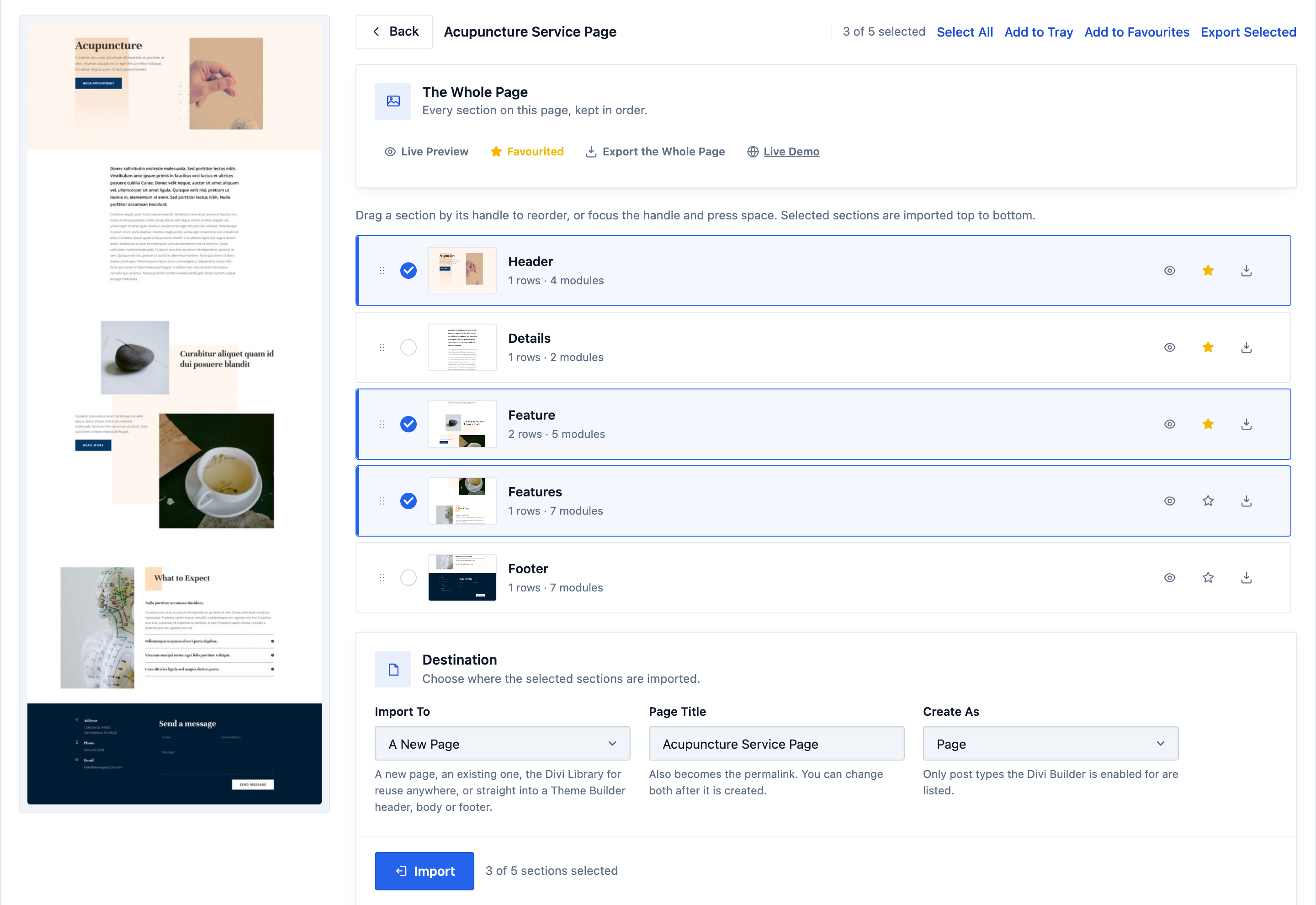
Four sources, one browser, inside the Visual Builder. Search runs across all of them, down to a single section.
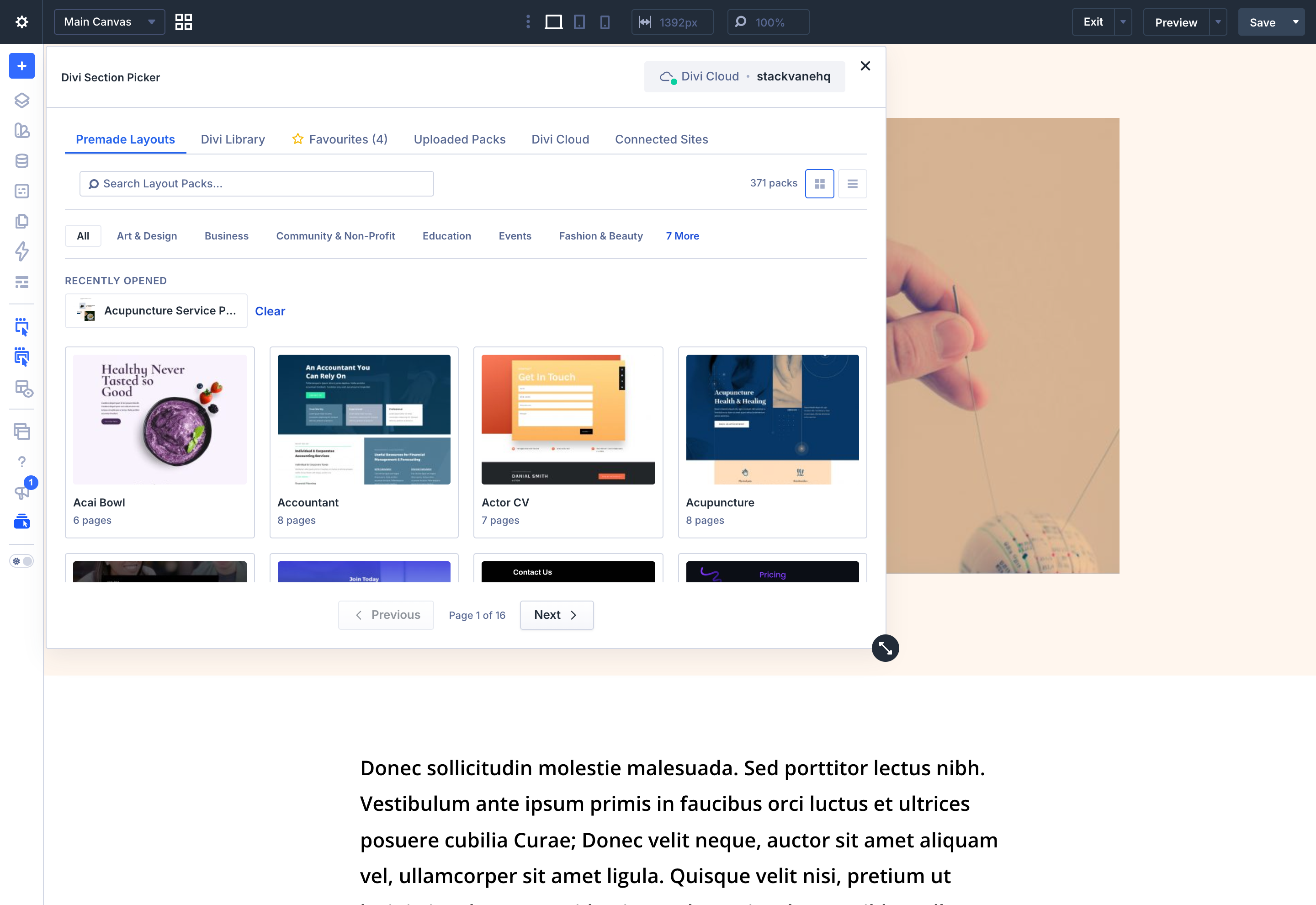
The panel reads the colours, typefaces, images and presets a section uses and offers your own beside each one. The swap happens during the import.
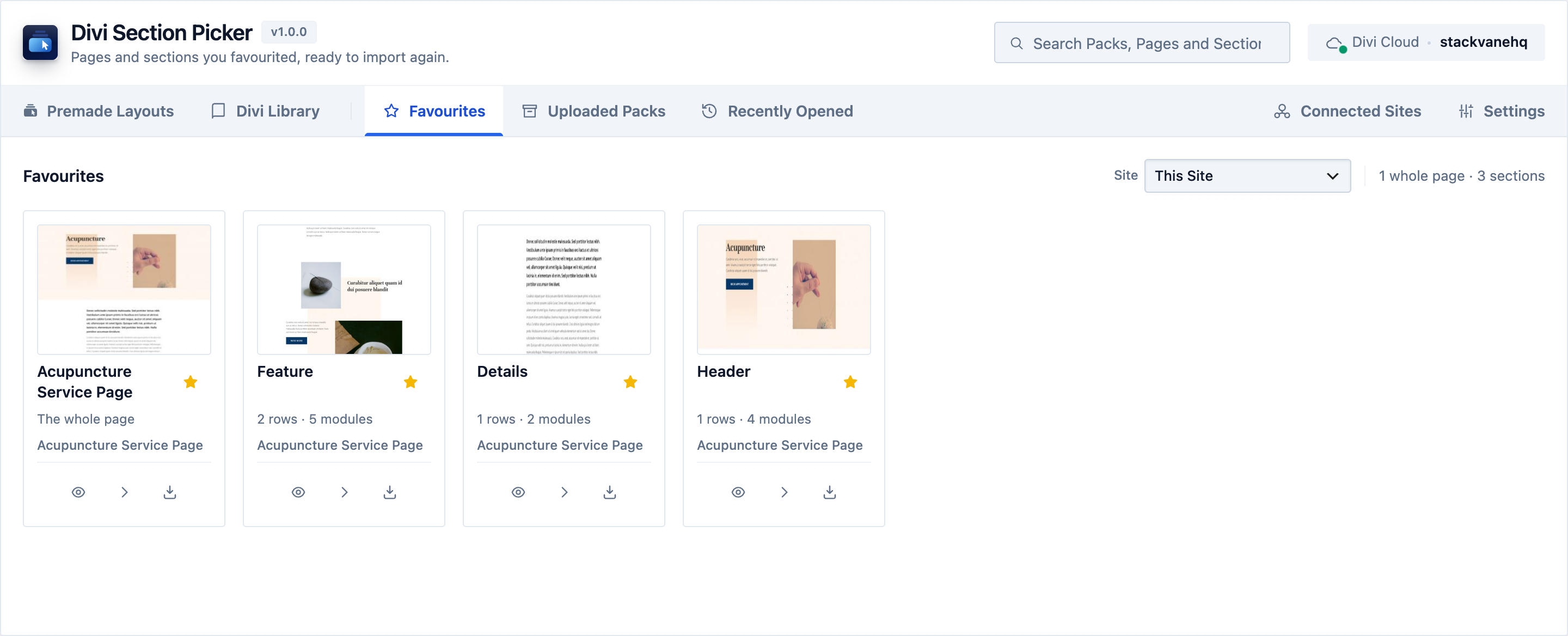
A favourite is a bookmark, not a copy. It remembers which section of which page, and from which source.
Insert into the page you are editing, a new one, your Divi Library, or a Theme Builder area. Export any section as a portable file that opens on any Divi site.
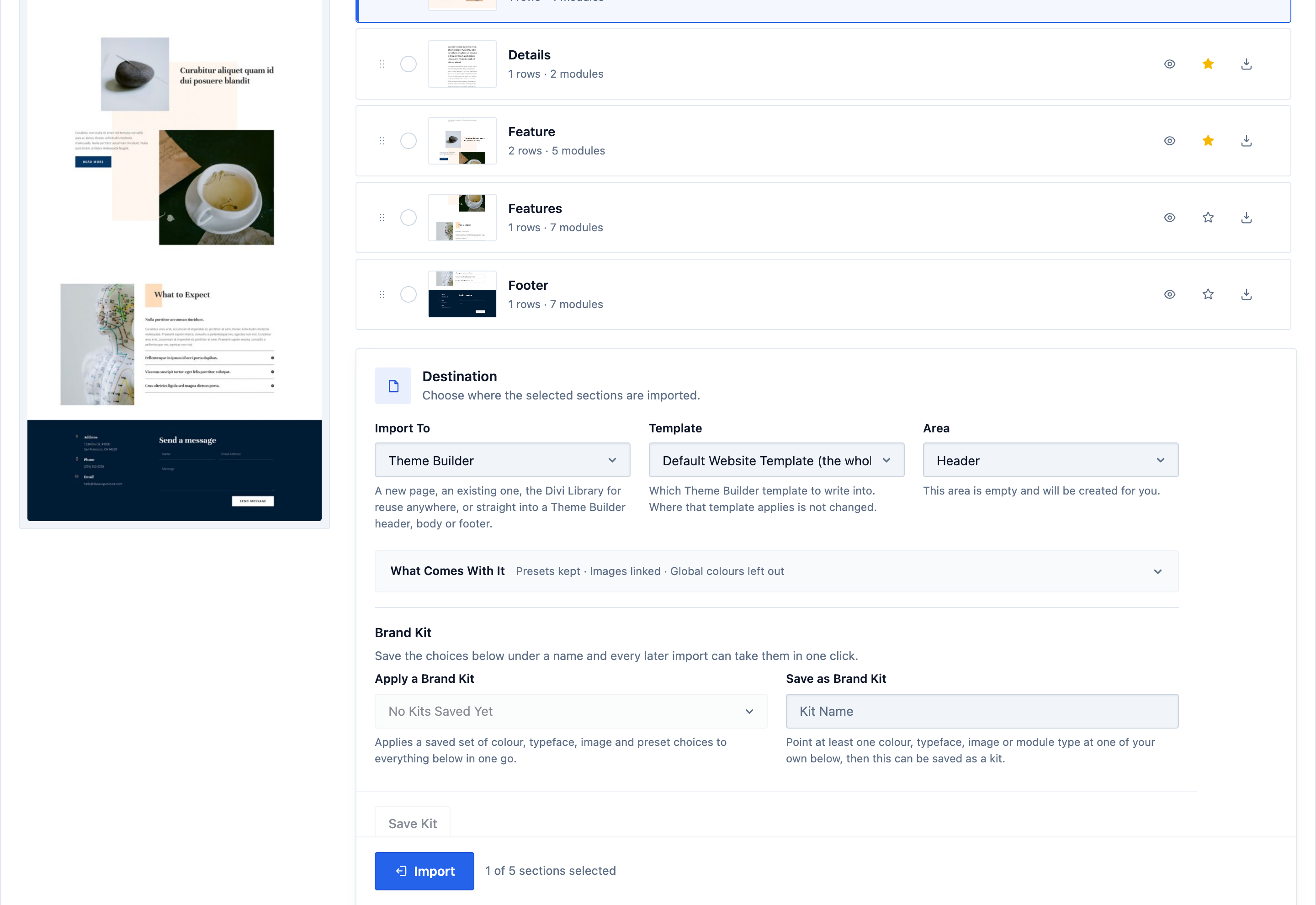
Pick a template you already have, pick the area, and the sections you selected are written into it. Layout packs ship without headers and footers, so this is where the one you liked goes.
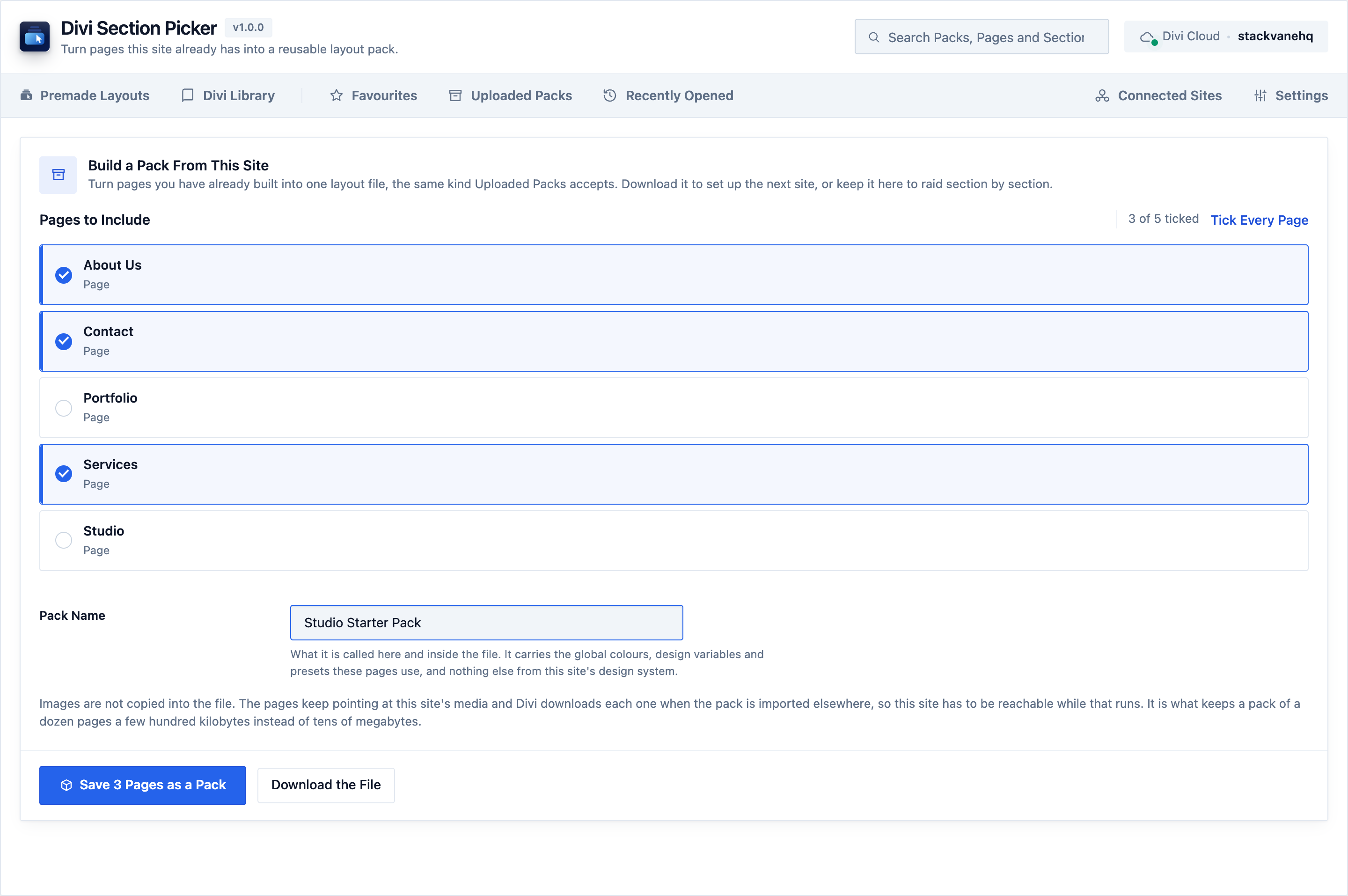
Every other feature here brings layouts in. This one sends them out. Tick the pages you built, name the pack, and get one layout file you can lift sections out of like any other.
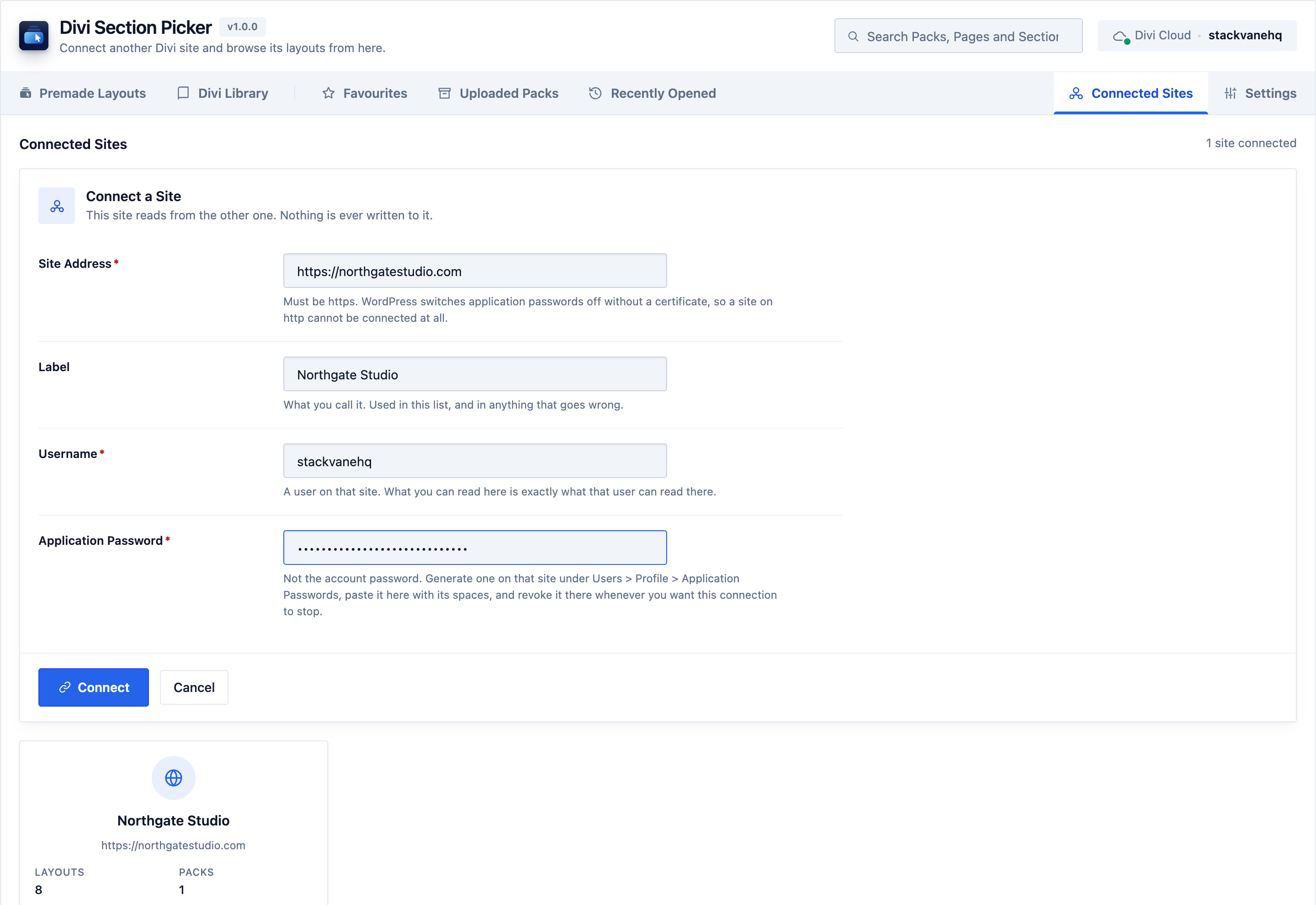
The sections worth reusing are usually on a site you have already built. Connect it once and its layout packs and its Divi Library appear in the same picker, section by section, without exporting a file or opening the other site at all.
On the other site, under Users › Profile › Application Passwords. It is WordPress’s own feature, not ours, and it is not that account’s login password.
The site address, a username on that site, and the password. What you can read here is exactly what that user can read there, no more.
The address is verified before anything is stored, so a typo is caught immediately instead of failing later as a wrong password. Then it reads what that site holds, once.
What crosses on connect is a list: the packs uploaded there, the layouts inside them, its Divi Library items and their thumbnails. That list is kept here, which is why browsing afterwards costs the other site nothing.
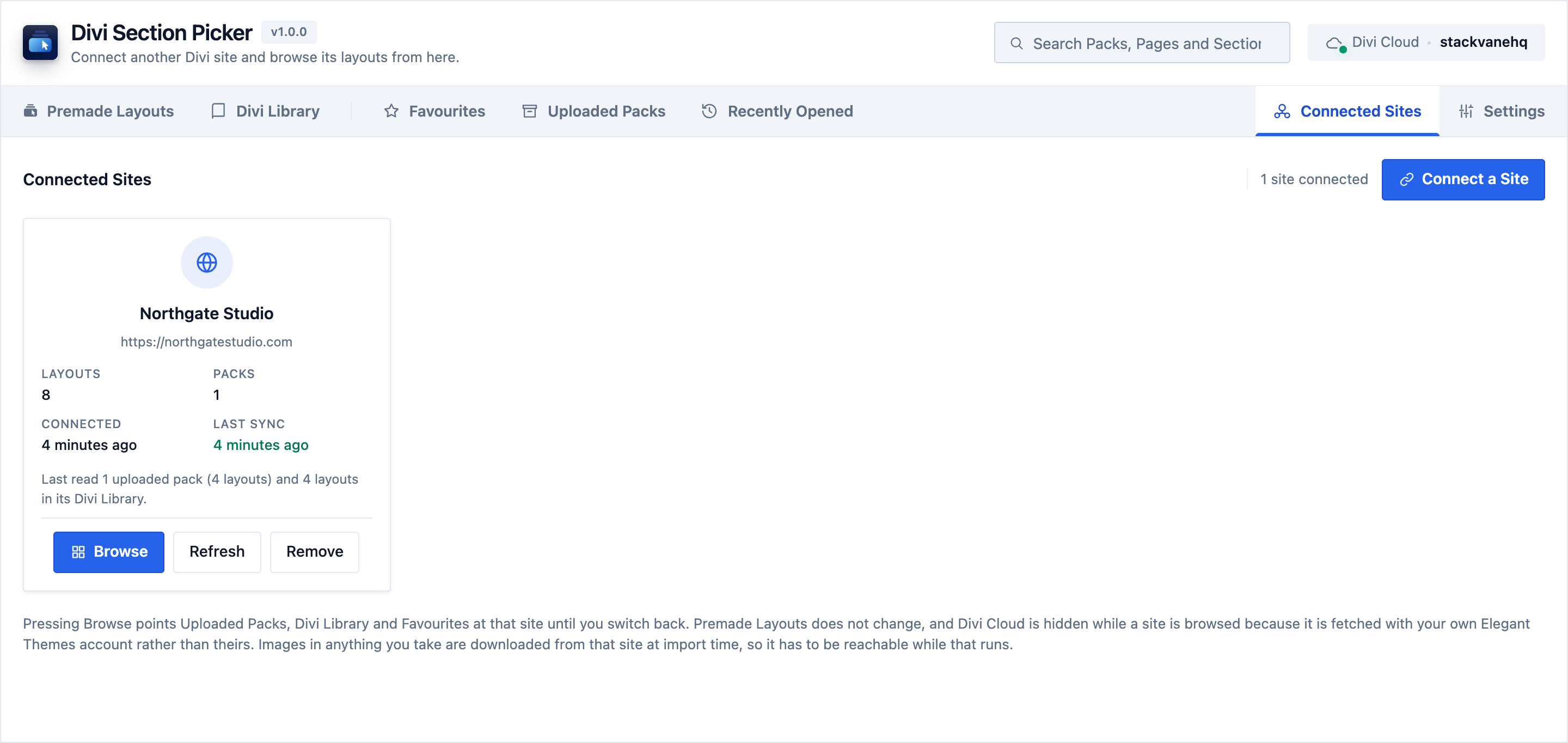
No account of ours is involved, and nothing is installed on the other site. The connection is an application password that site generated, revocable there at any moment.
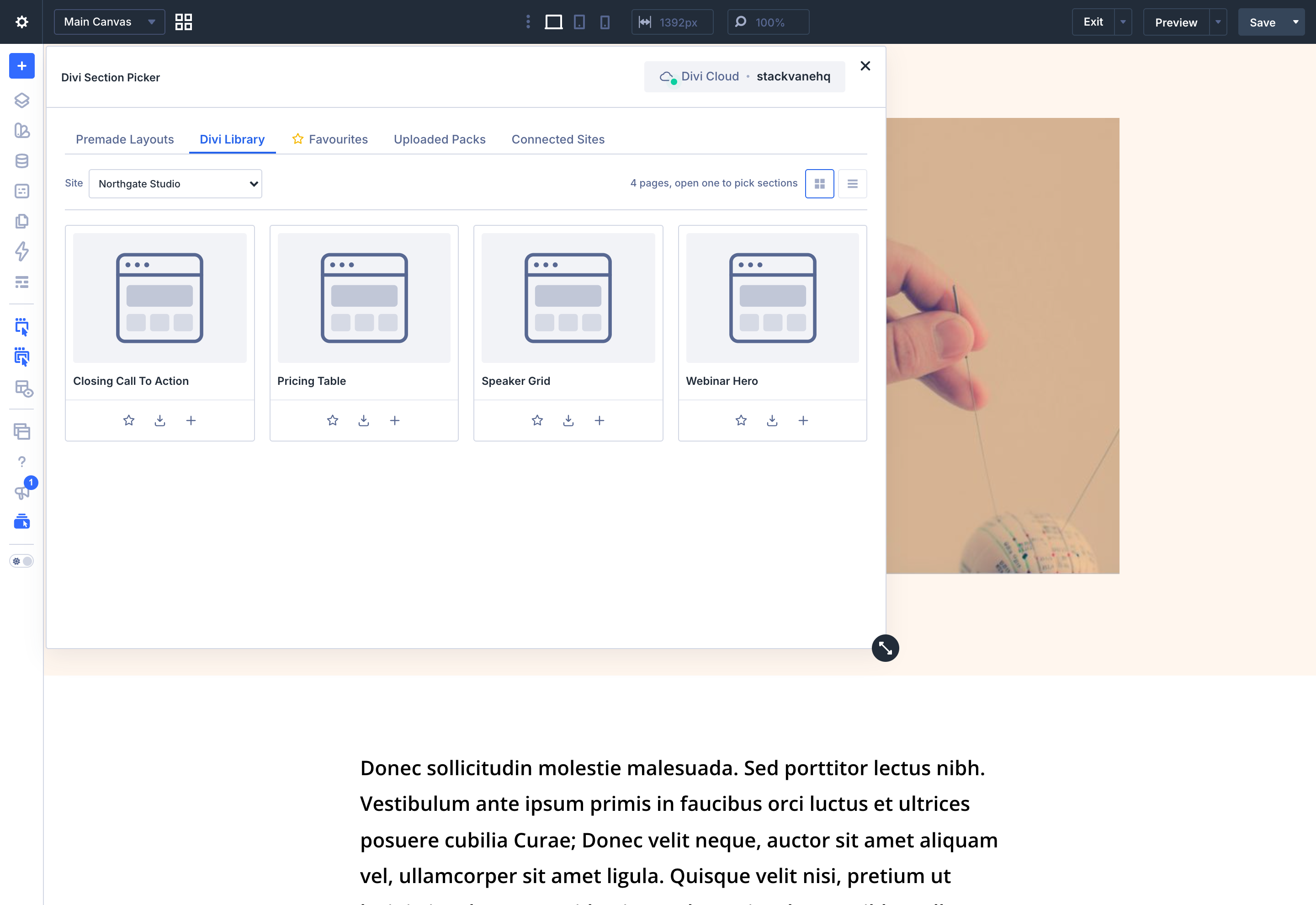
Pick a connected site and the tabs stay where they are. Uploaded Packs, Divi Library and Favourites show that site’s instead of yours, and everything below behaves the same.
Pack, then page, then sections, matched to your brand and inserted live inside the Divi Visual Builder. One recording, every feature run to its end, nothing staged and nothing skipped.

The same section-first workflow, whether you build for clients every week or look after one site carefully.
A pack bought for one hero section can be used for that section alone, on this project and on the next one, without importing a page you then delete.
What that changes: one purchase becomes a library of sections rather than a page you strip.
Import a whole pack page by page with progress you can stop, and map its colours and typefaces to the client's before anything lands. Save that mapping as a brand kit for the rest of the build.
What that changes: the recolouring pass after an import stops being a job.
Take one section out of a page you already built, on this site or on another site you connect. Divi's own library browser offers items saved as sections and nothing else.
What that changes: a section sitting inside a finished page becomes reusable.
Divi Section Picker comes out of StackVane HQ, a WordPress and Divi software house. The workflow it fixes is one we were doing by hand.
Your uploaded packs and your own Library work with no account at all. An Elegant Themes account is needed for two of the four sources: the premade catalogue, and your own Divi Cloud.
| Capability | Divi Section Picker | Native Divi |
|---|---|---|
| Import a full layout to get one section | Yes Never required | No Only option |
| Pick multiple sections from one page | Yes | No |
| Auto brand-colour matching | Yes | No |
| Browse your own Library by section | Yes | No |
| Preview before inserting | Yes | No |
| Reuse sections from your other Divi sites | Yes Connect one, read only | No Export and import by hand |
| Cross-source favourites | Yes | No |
| Choose the order sections land in | Yes Drag, or keyboard | No |
| Switch it off per role | Yes In Divi's Role Editor | No Divi's own features only |
Three answers, all of them checkable on your own install.
01 / What it loads
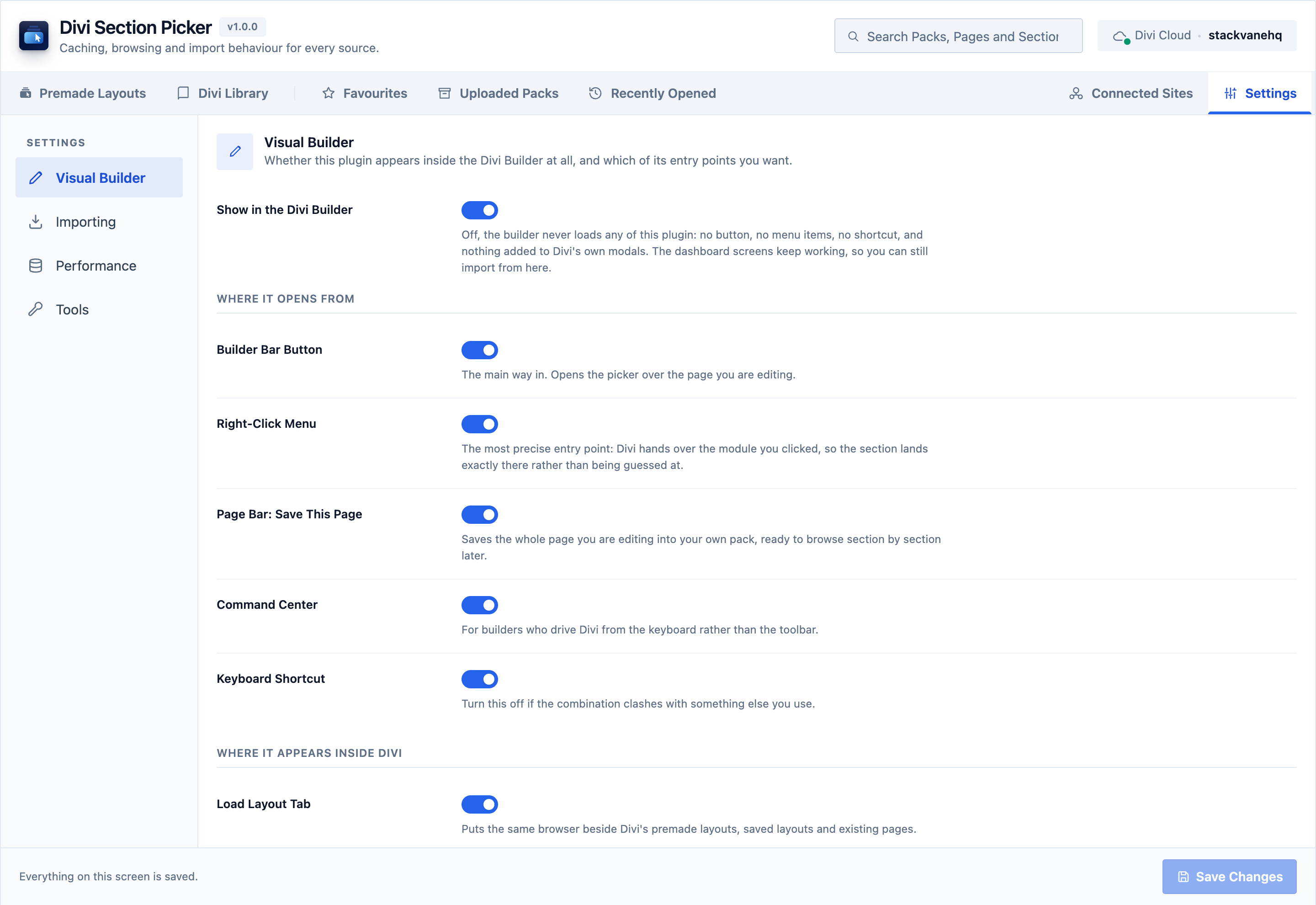
Nothing reaches the front end: no extra stylesheet, no extra script, nothing to place on a page. Inside the builder it works only when you ask it to, bringing in a page of results rather than a whole catalogue, so the builder stays as quick as it was.
02 / What it stores
Layout catalogues are remembered for as long as you choose, from an hour to a month, and cleared by hand whenever you want them gone. Everything it saves is stored to be found rather than searched, so a dozen packs and several hundred open at the same speed.
03 / What it can do
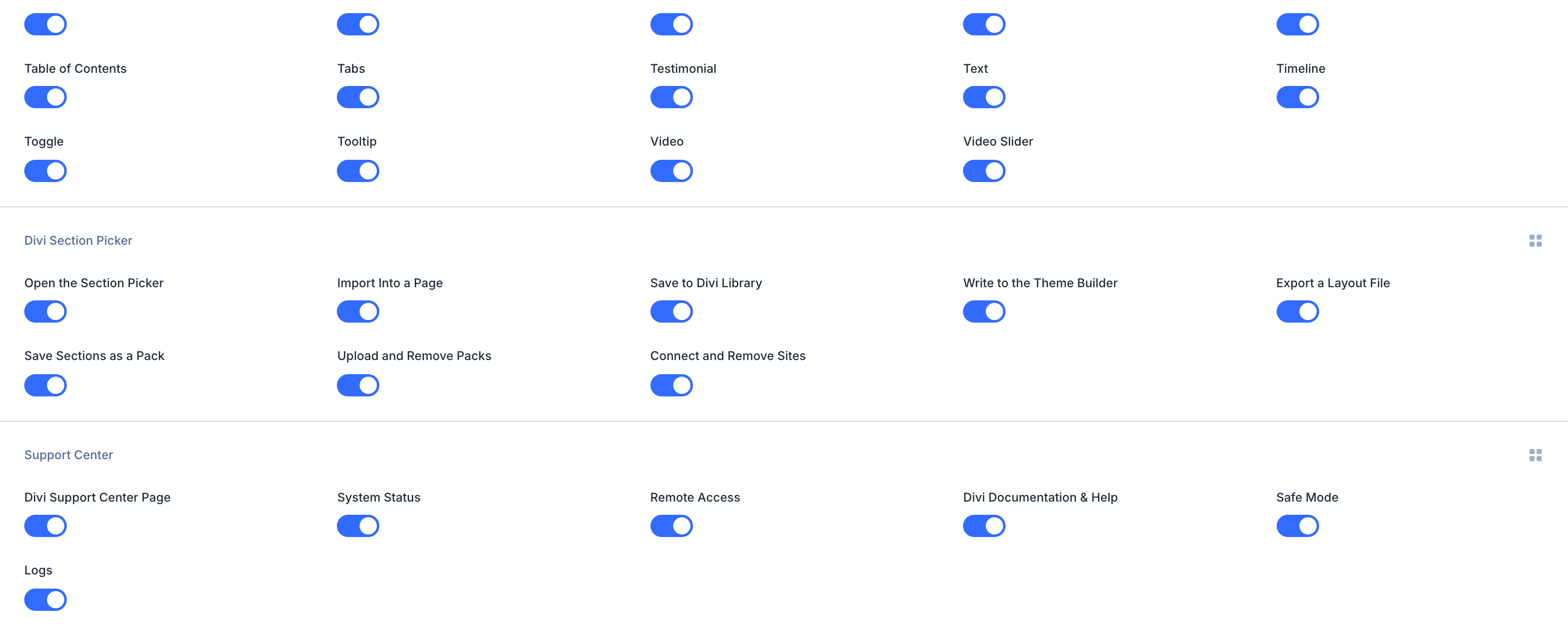
Its own section in Divi › Role Editor, with a switch for each of the eight things it can do. A switch can only take an ability away, never hand one out. Uninstalling takes everything it created with it, and leaves the sections you inserted alone.
A single one time purchase. Install it on every site you build, with nothing to activate and nothing to renew before it keeps working.
$25one time
A one time purchase, not a subscription. The plugin never stops working, and renewing only ever buys another year of updates and support.
In development. Purchases and pre-orders are not open. Pricing and final terms will be confirmed at launch. What the purchase covers.
We write the plugin and we answer the support. The purchase itself runs through the Divi Marketplace, so Elegant Themes takes the payment and handles refunds, and there is no licence server that can decide your site is no longer allowed to run it.
Taken by Elegant Themes, on the Divi Marketplace checkout. A one time purchase rather than a subscription, and no card details ever reach us.
It runs on as many sites as you build, with no key to enter and nothing to activate. Updates and support run for a year and renew. What you have installed keeps working either way.
Handled by Elegant Themes rather than by us, because the sale is theirs. Their service policy is the one that applies, so a refund request goes to them and not to this address.
A support request reaches the people who wrote the plugin, not a first line reading from a script. Same address as everything else on this site.
Divi Section Picker is built specifically for Divi 5's Visual Builder and block architecture. It does not run on Divi 4.
Exactly what the user you name can read there, and nothing more. Every request is a read: nothing is created, changed or deleted on the site you connect. It reads the packs uploaded there and the layouts in its Divi Library as metadata first, and fetches a layout only when you take something from it.
Yes. Upload any layout file you already purchased and browse it section by section, just like every other source.
Upload the zip under Plugins › Add New › Upload Plugin and activate it. Updates arrive in your WordPress updates screen for a year. No separate updater, no licence field.
Every version is listed here as it ships. The full notes for each one travel inside the plugin as readme.txt.
Same GPL licence and the same people, and one of them is free. Each one does a single job the builder leaves to you.
Available on Divi Marketplace
Add content reveals, store coupons, signed download links, account creation or automation to the Divi 5 Email Optin module.
See Divi Optin ExtendedAwaiting Marketplace Review
Trace the source of a Divi 5 setting, find local overrides and review where your pages differ from their presets.
See Divi Preset InspectorAvailable on WordPress.org
Divi’s Video Slider takes one slide at a time. StackVane adds a Bulk Import button to the module you already use: paste a list of URLs, pick from your Media Library, or drop in a whole YouTube playlist.
See StackVane Video Import for DiviGet Divi Section Picker and start building on top of every layout you already own.